XR Designer
A browser-based studio for composing interactive augmented-reality scenes and publishing them to a link or QR code—without code or a native app.
Visit live product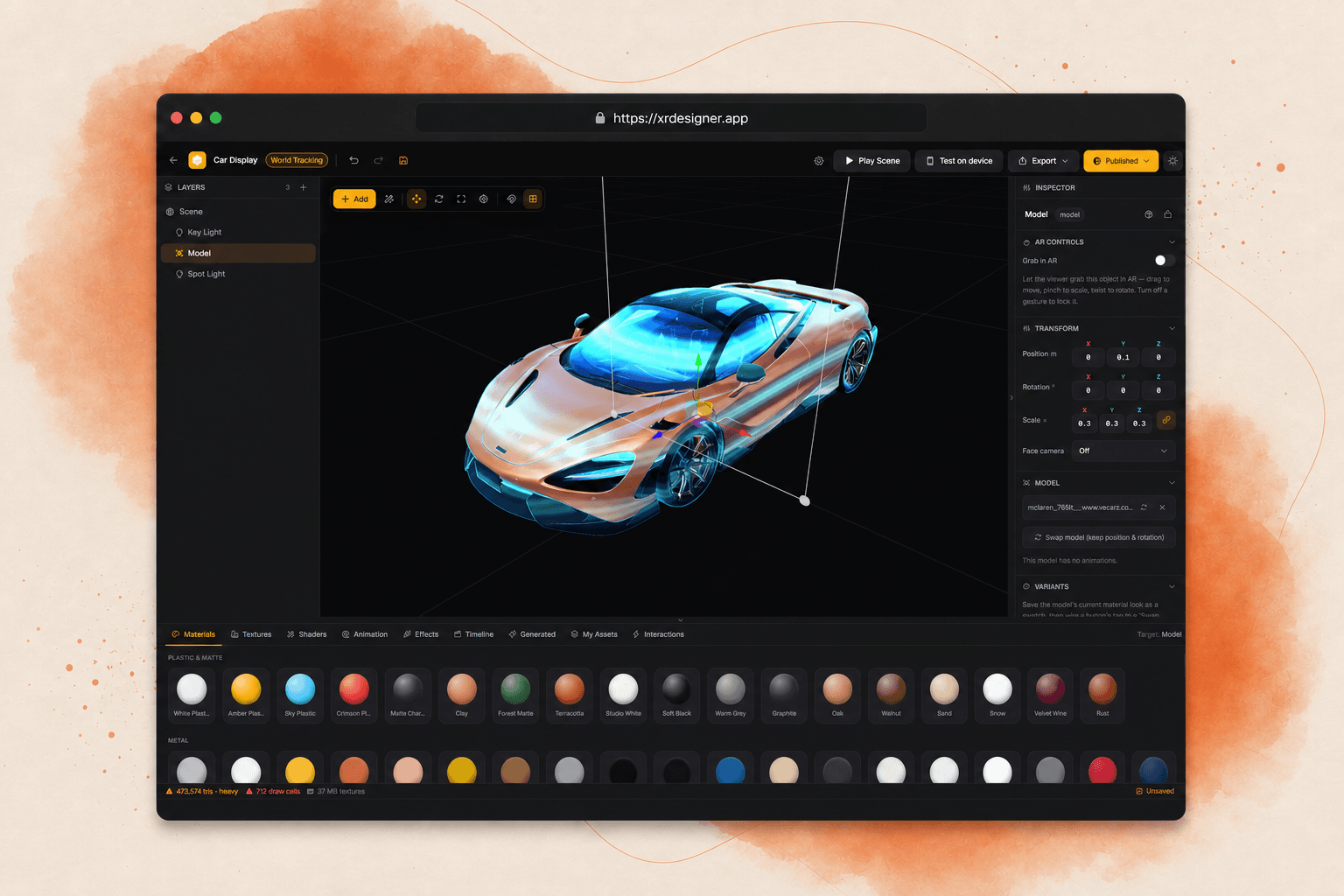
Creating mobile AR usually means fragmented 3D tools, specialist development, app-store distribution, and a costly gap between what creators preview and what audiences receive.
XR Designer brings scene composition, five tracking modes, visual interactions, materials, shaders, device testing, publishing, and analytics into one browser workflow.
Inside the product.
Tracking, face effects, procedural environment tools, AI generation, and the complete public-facing product website.
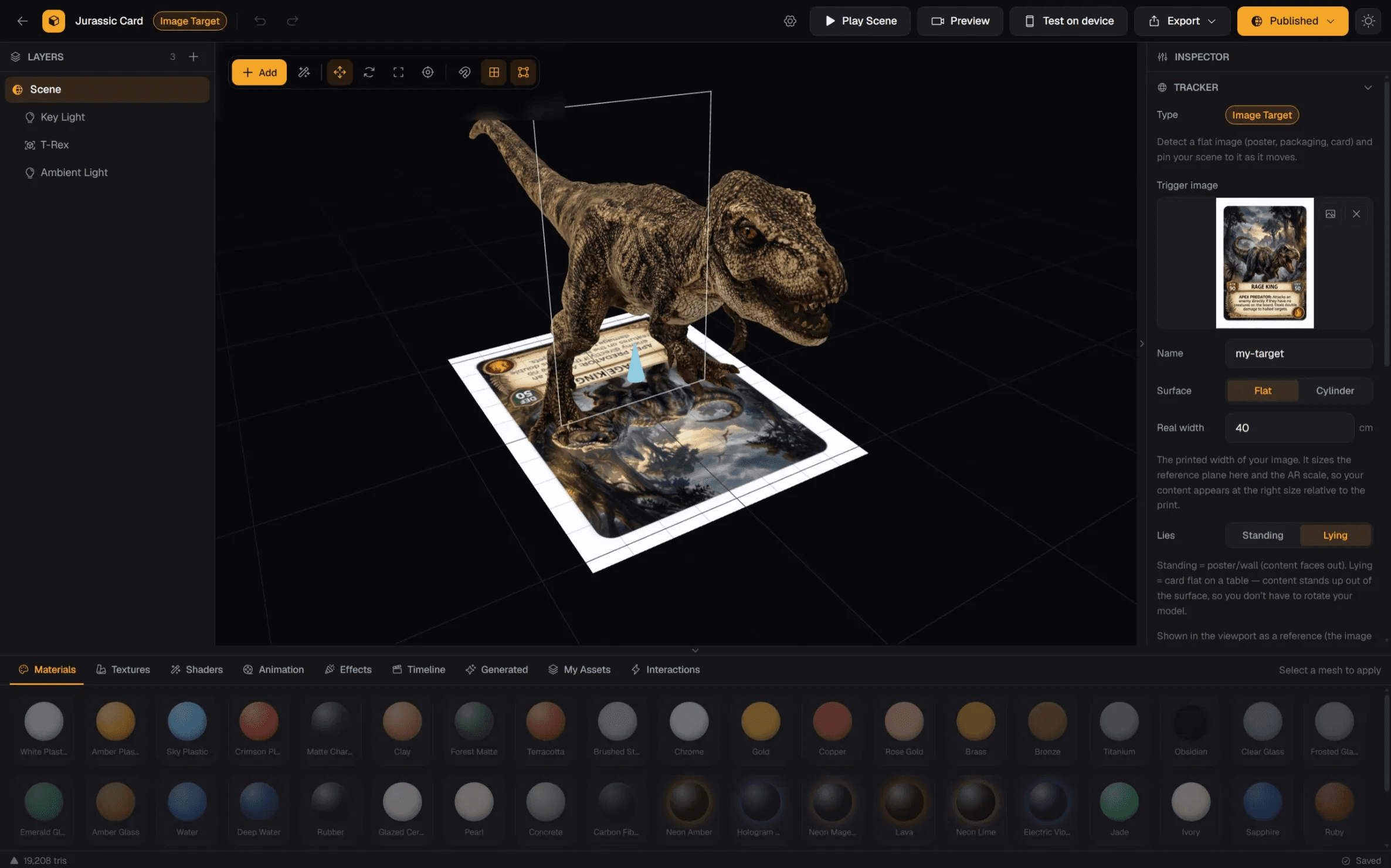
Image-tracked AR usually requires specialist tooling. The editor connects a trigger image, 3D content, scale, and preview in one workspace.
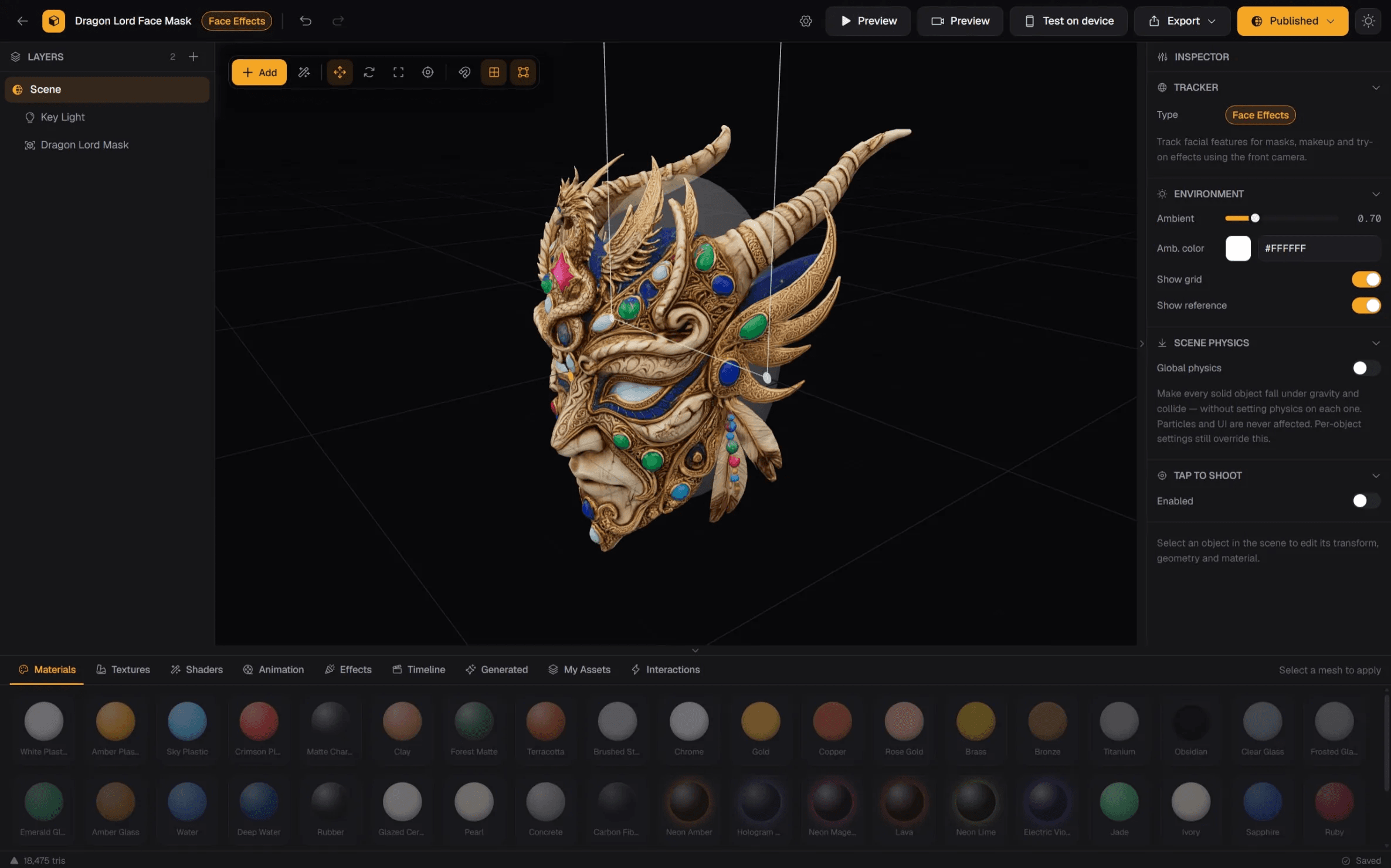
Face effects demand tracking code and repeated testing. Visual controls let creators position, light, and preview the mask directly.

Building environments requires terrain creation and repetitive object placement. Procedural terrain and a surface-aware brush let creators scatter objects directly across its geometry.

Creating production-ready assets can interrupt the scene workflow. AI Studio generates textures, skyboxes, 3D models, and native scenes from prompts, then adds them directly to the project.

WebAR can feel abstract to new creators. The site makes it tangible through use cases, editor proof, publishing, analytics, and pricing.